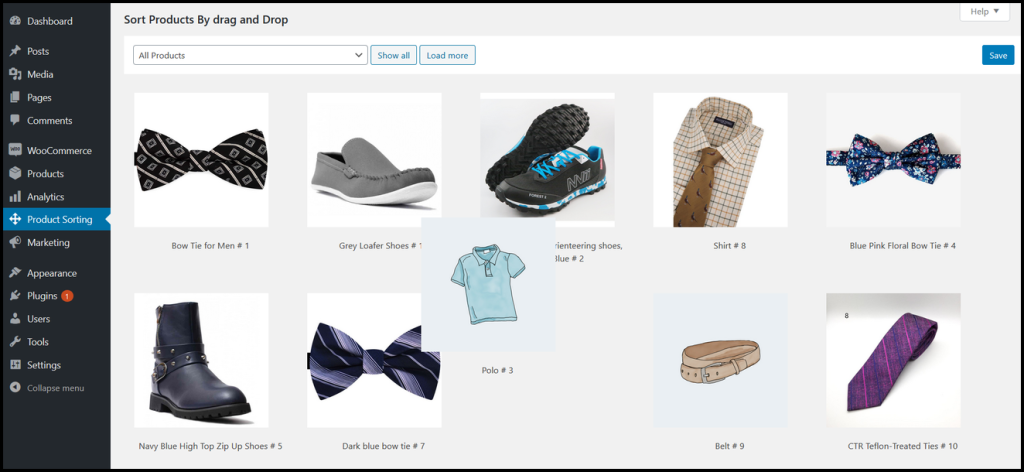
Merchandise WooCommerce allows you sort your products for shop and category pages. It allows you to rearrange or sort your products. However, the simple drag and drop option empower you to sort product sequence.
We can understand it clearly when we visit supermarket we can see the order of items away from the walk way. Therefore, when the customers visit your online store they can easily select the products then purchase. However, The online store is same where you can drag and drop items randomly by your choice for the ease of your customers.
Key Features Of Merchandise WooCommerce
- Re-arrange or re-order product items by drag and drop for shop pages.
- Re-arrange or re-order product items by drag and drop for category
- pages.
- Display same products at different position on the shop page.
- Display same products at different position on the category pages.
- Display products selected on the top of shop and category pages.
- Simple easy to configure and customize.
Sort Products For Shop & Category Pages
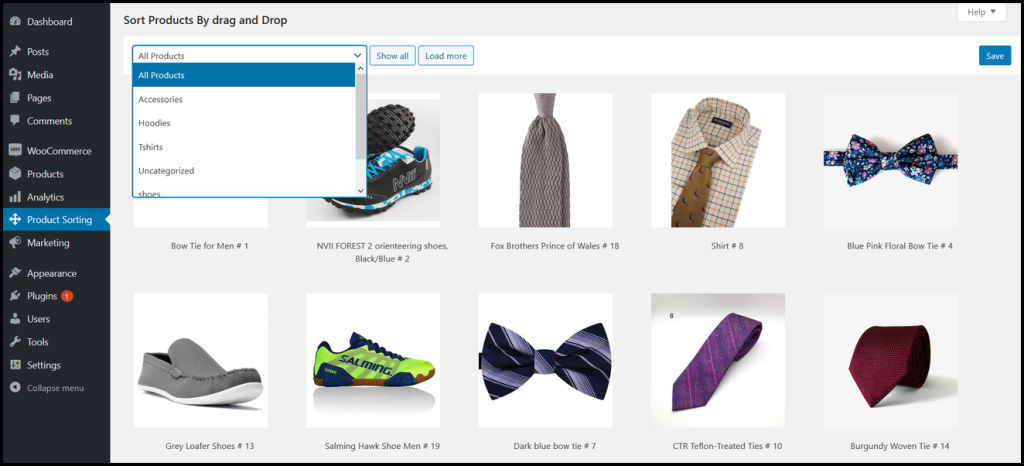
The extension provides you an easy way where you can drag and drop products randonmly. It allows you to select specific category to display product items.
Merchandise WooCoomerce Installation
- After downloading the plugin from WooCommerce follow the below
- instructions to install & activate the plugin.
- Login to your WordPress website dashboard.
- Go to the Plugins menu.
- Click on the Add new & Upload plugin button.
- Upload plugin zip file downloaded from WooCommerce merchandise.zip.
- Install and Activate the plugin.
How To Set Up Merchandise WooCommerce
Once Merchandise WooCommerce is enabled at the WordPress dashboard you can see Merchadise WooCommerce extension.
Usage
When the plugin is installed it will automatically be enabled. Furthermore, you can see heading sort products by drag and drop option. However, you can see drop down of products with categories. Similarly, you can select product category to display on front-end. Thus, re-arrange or re-order the product items as well.