Table of content
WooCommerce product availability slots are a perfect solution to allow users or hide them from purchasing product items within a specific time. For seven days of the week, you can schedule the product availability.
Furthermore, at backend settings, you can set time slots for products purchasable or unpurchasable. In other words, the timer will display at the front-end until the time scheduled. It supports both simple as well as variations of the variable products.
Key Features for Availability Slots
- Add custom text for availability and unavailability slots.
- Choose a label for days, hours, minutes, and seconds.
- Enable product availability slot for one day or all weekdays.
- Set expiry for the countdown timer.
General Settings
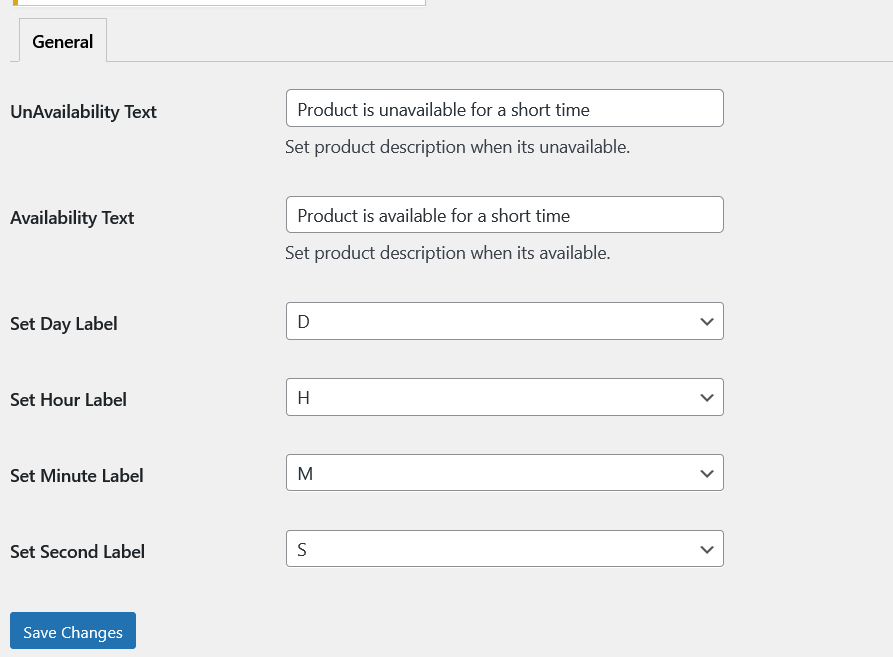
UnAvailability Text: Set product description when its unavailable.
Availability Text: Set product description when its available.
Set Day Label: Set Day Label as D, Day, Days.
Set Hour Label: Set Hour Label as H, Hour, Hours.
Set Minute Label: Set Minute Label as M, Minute, Minutes.
Set Second Label: Set Second Label as S, Second, Seconds.
Product Level Settings
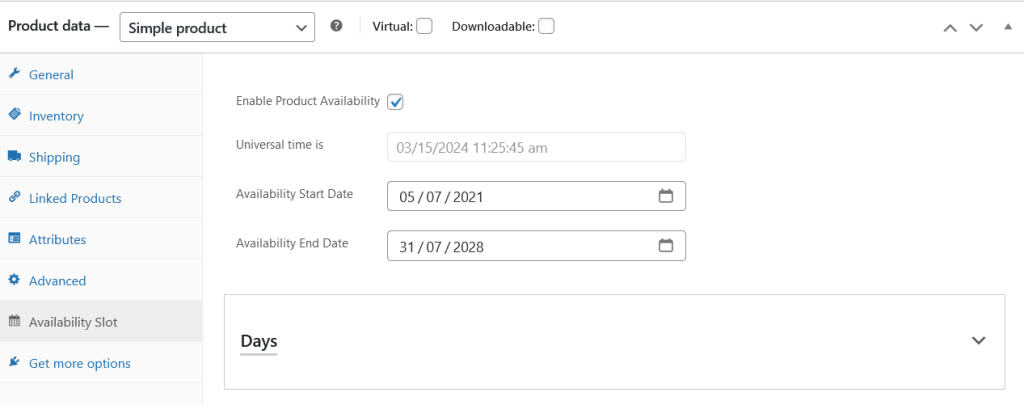
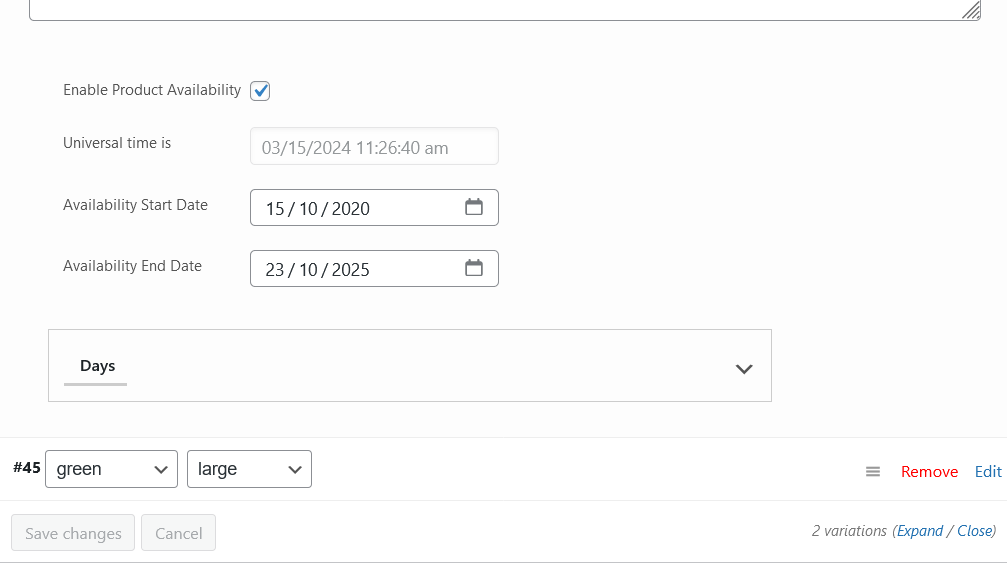
Enable Product Availability: Check this option to enable availability slots functionality for that specific product.
Availability slots will display always the universal time because admin has to schedule the products according to that date/time.
Availability Start Date: Slots will work after start date.
Availability End Date: Slots will be useless after end date.
All Slots
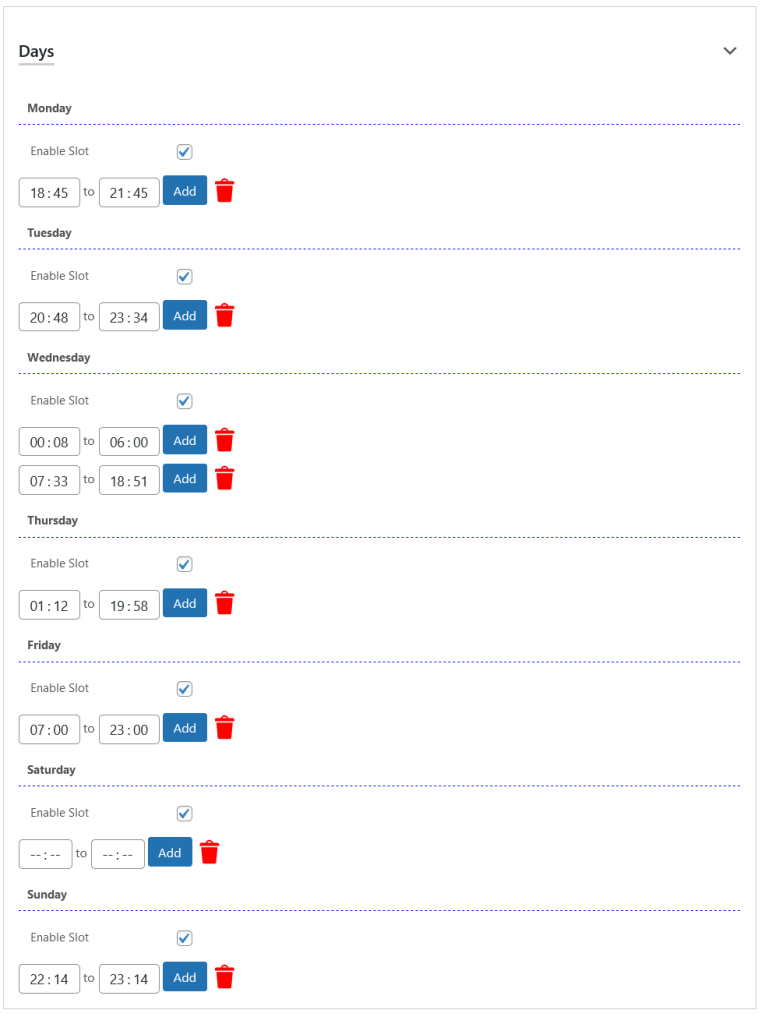
You need to add as many slots as needed for each day of the week.
Variation Level Options
Availability slots also support the variations of the variable products.
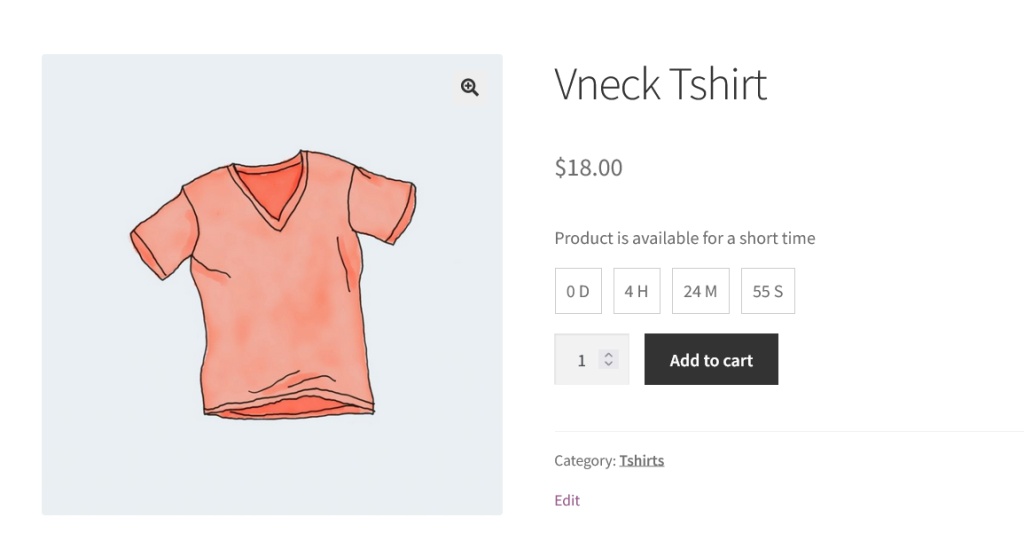
Frontend View
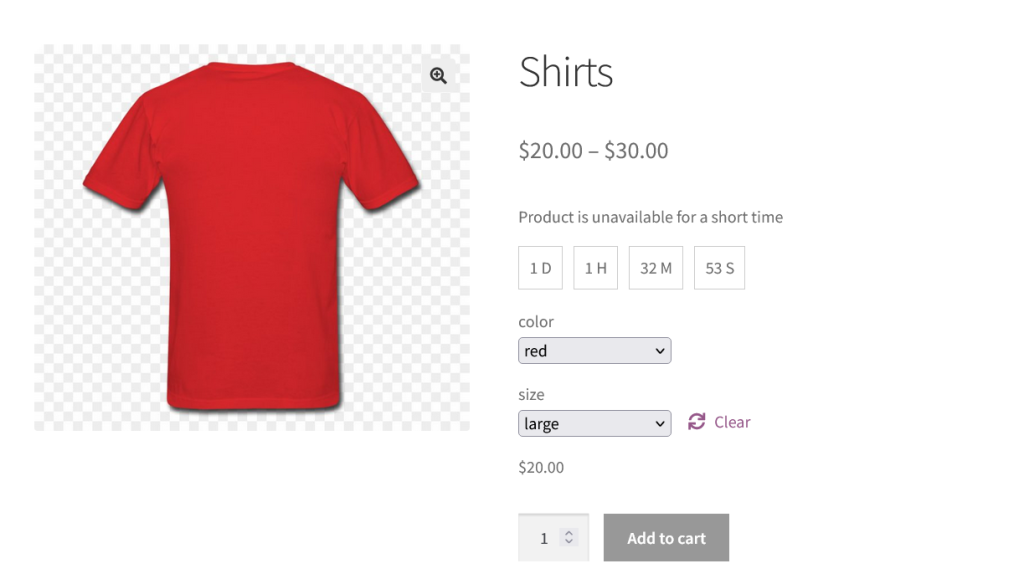
Product is available for the short period of time. After displayed time the product will become not purchasable.
Variable Product
Variation of the variable product is not available for the short period of time and after the time it will be available for the sell.