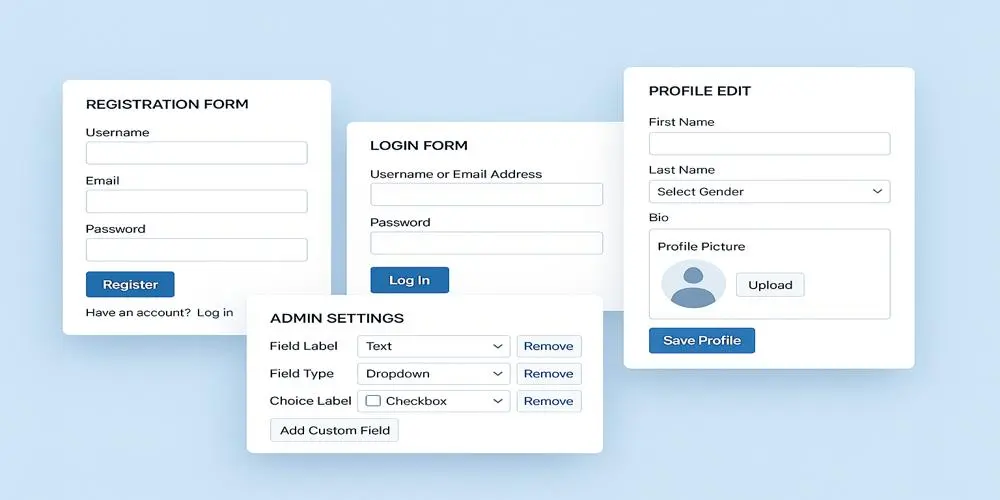
WordPress Profile Builder Plugin
The WordPress Profile Builder Plugin is simple and easy to use to create a user profile. Admin can use drag and drop features on the dashboard. However, the admin can allow the user to upload an avatar image. For instance, for users, there are multiple end-points. Customers can see different layouts at the front-end. For…
The WordPress Profile Builder Plugin is simple and easy to use to create a user profile. Admin can use drag and drop features on the dashboard. However, the admin can allow the user to upload an avatar image. For instance, for users, there are multiple end-points.
Customers can see different layouts at the front-end. For guests, the users plugin provides custom registration and login forms. Therefore, users can update their profiles at the front end instead of the back-end.
Key Features Of WordPress Profile Builder Plugin
- My account page drag and drop builder endpoints.
- However, it allows users to upload an avatar image.
- You can add internal or external website links or custom endpoints.
- Allow or restrict the endpoints by user roles.
- Allows to create login and registration forms.
- Allows to create slug endpoints.
- Approve or deny new user registration.
- Copy and paste short-codes for registration, login, and account page.
- Login and registration form submission through ajax.
- Customers allowed for a registration form by the user role.
- However, it supports Google re-Captcha at login and registration forms.
- Furthermore, the admin can set the specific link for the user redirect at the specific page after registration.
- You can create different roles.
- Edit and submit blogs.
- Similarly, you can also get a notification for new user registration.
- Deny or accept user registration.
Profile Builder General Settings
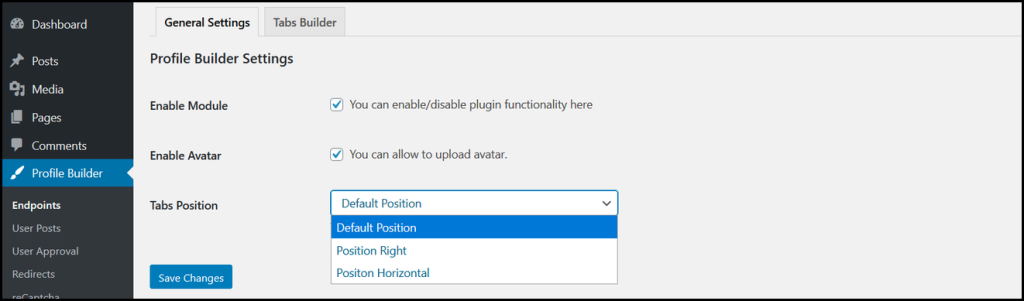
Admin can enable or disable the plugin functionality for the front-end. However, you can also choose an avatar option to allow or restrict users from uploading an avatar.
Furthermore, you can choose one option from the drop-down, as shown below:
- Default position
- Position right
- Position horizontal
Where To Get The Plugin
WordPress Profile Builder lets the guest users to login and register with a completed profile information. However, If you want to download the plugin please Click here: Download Profile Builder
Profile Builder Installation
After downloading the plugin from Codecanyon follow the instructions below:
- Login to your WordPress website dashboard.
- Go to the Plugins menu.
- Click on the Add new & Upload plugin button.
- Upload plugin zip file downloaded from Codecanyon profile-builder.zip.
- Install and Activate the plugin.
Get Benefits
- In-depth marketing data.
- Expert technical support.