Table of content
With Build Up WooCoomerce you can customize features for the products. It allows to add custom product tabs that can be shown in three ways i.e. in tabs, accordion, and sidebar. Furthermore, you can see a popup size chart on the shop page and archive page.
Features For Build Up WooCoomerce
- Show custom product tabs as, accordion, sidebar, or tab
- Show size charts on the single, shop page, and archive page
- Display sales countdown timer
- Allows to activate product scheduler
- Get inquiries by WhatsApp
- Enable pricing table for the products
- Display product chart on single product page and shop page
Size Chart
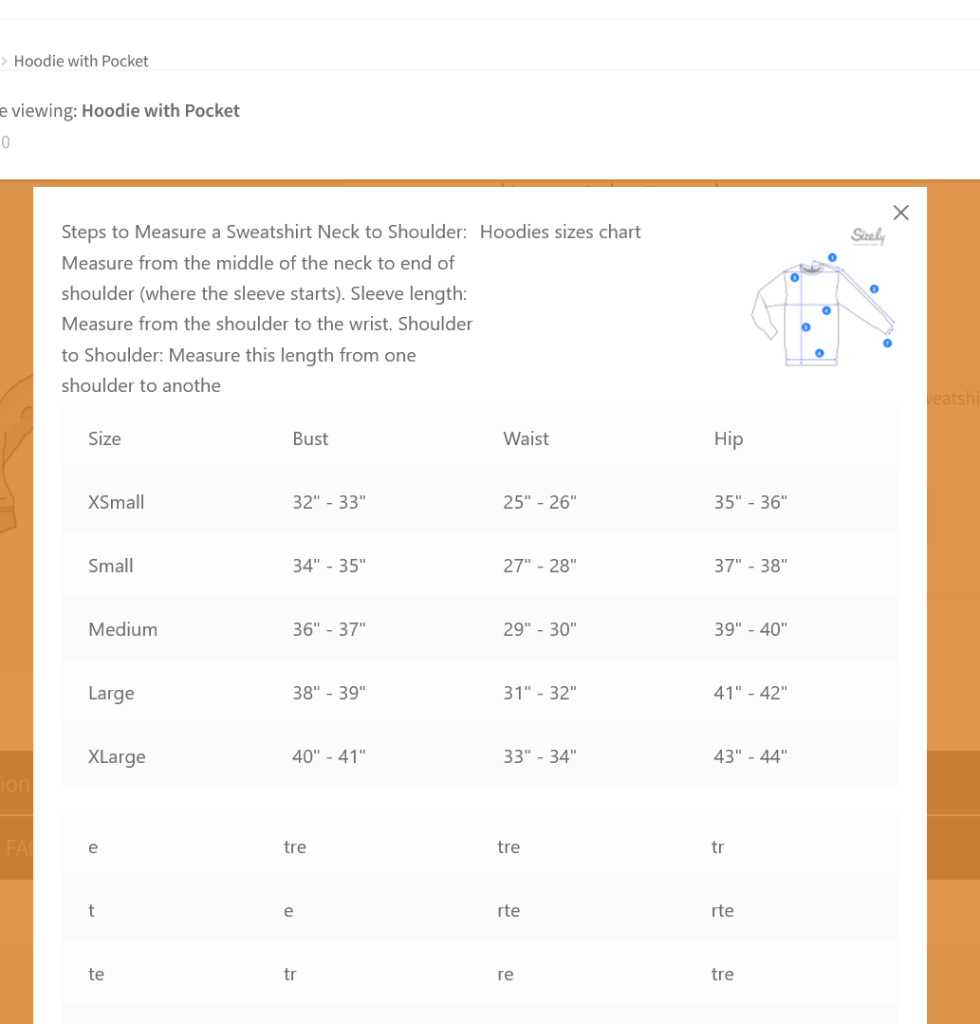
Build Up WooCommerce comes with the dynamic size chart for the products. It allow to create multiple tables for the chart with customized rows and columns.
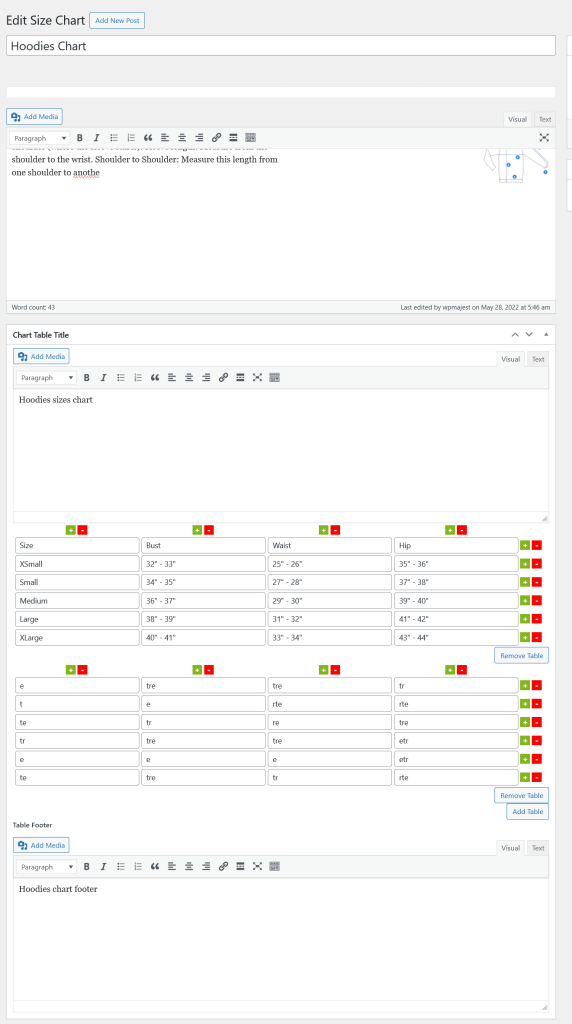
Product Tabs
Create dynamic tabs for the products.
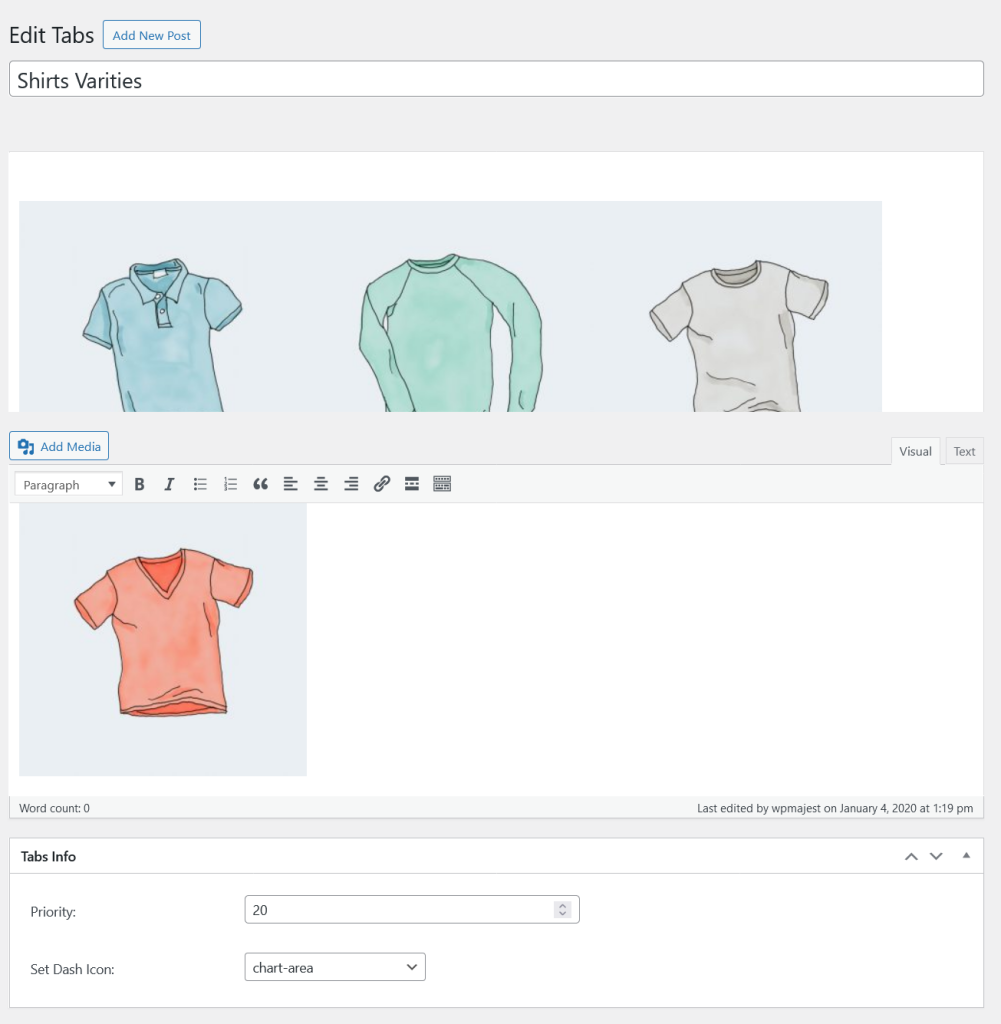
Pricing Tables
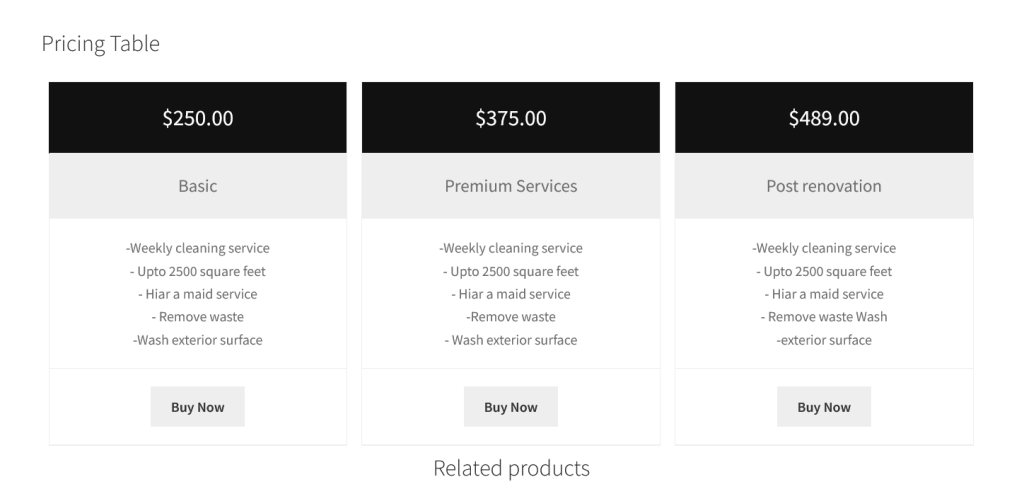
Pricing table allow to sell the products in the form of packages.
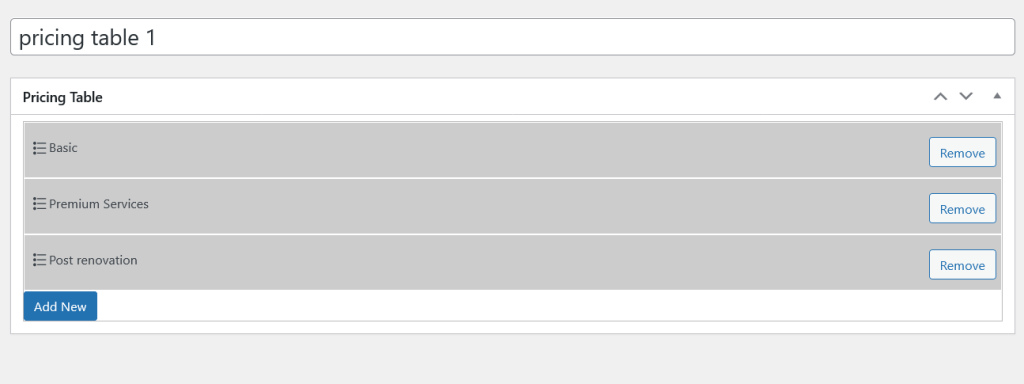
Package Fields
Each package consist of price, label description and button label fields.
Tab Settings
Build Up WooCommerce control the product tabs, add custom tabs and hide/show existence tabs also.
Enable Tabs: Check this option to enable the Build Up to control product tabs.
Tabs Font Size: Set Tabs Font Size here.
Content Font Size: Set Content Font Size here.
It also consist of several color option to customize the product tabs beautifully.
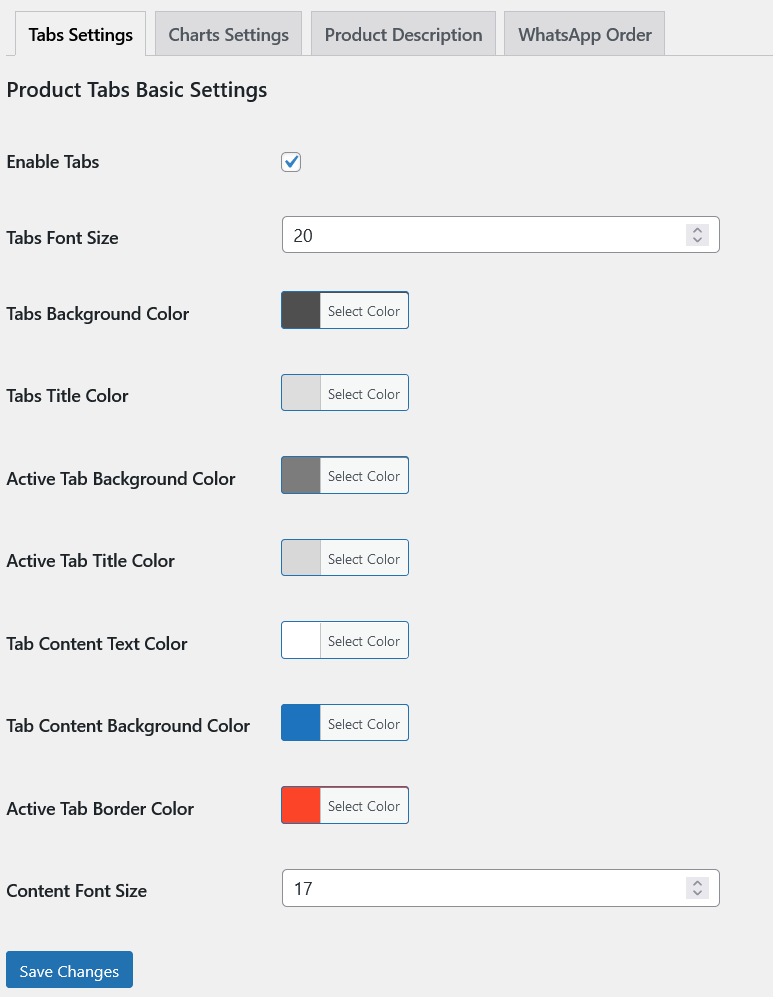
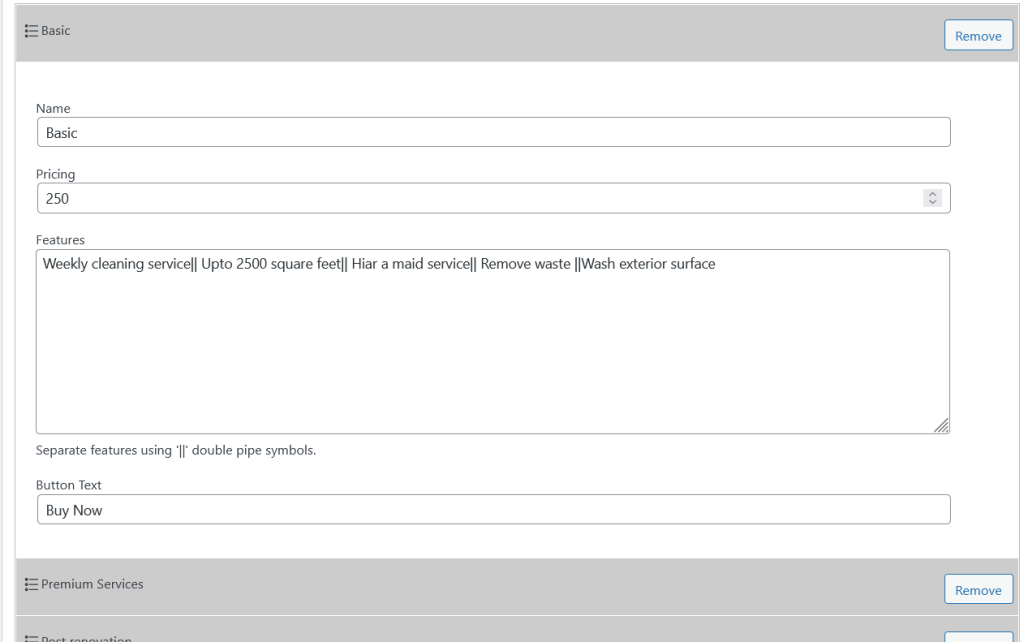
Chart Settings
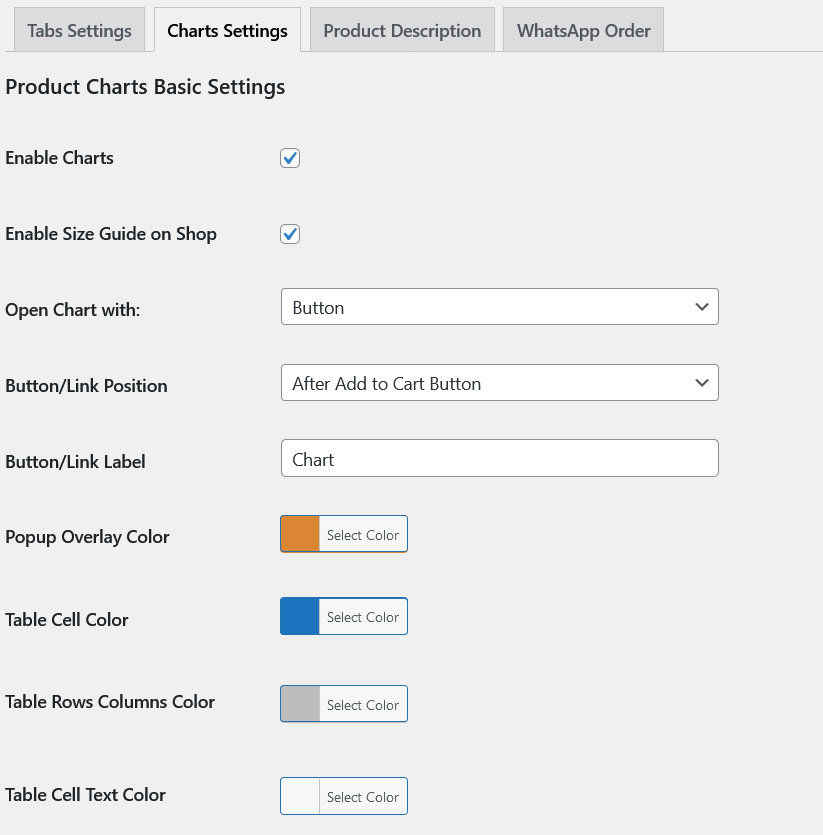
Enable Charts: Check this option to enable sizes chart for the product single page.
Enable Size Guide on Shop: Check this option to enable sizes chart for the shop page.
Open Chart with: Choose open size chart button style.
Button/Link Position: Choose size chart button position on the product single page.
Button/Link Label: Add Button/Link Label here.
It also has color option for the popup because the chart will be opened in the popup.
Product Description Settings
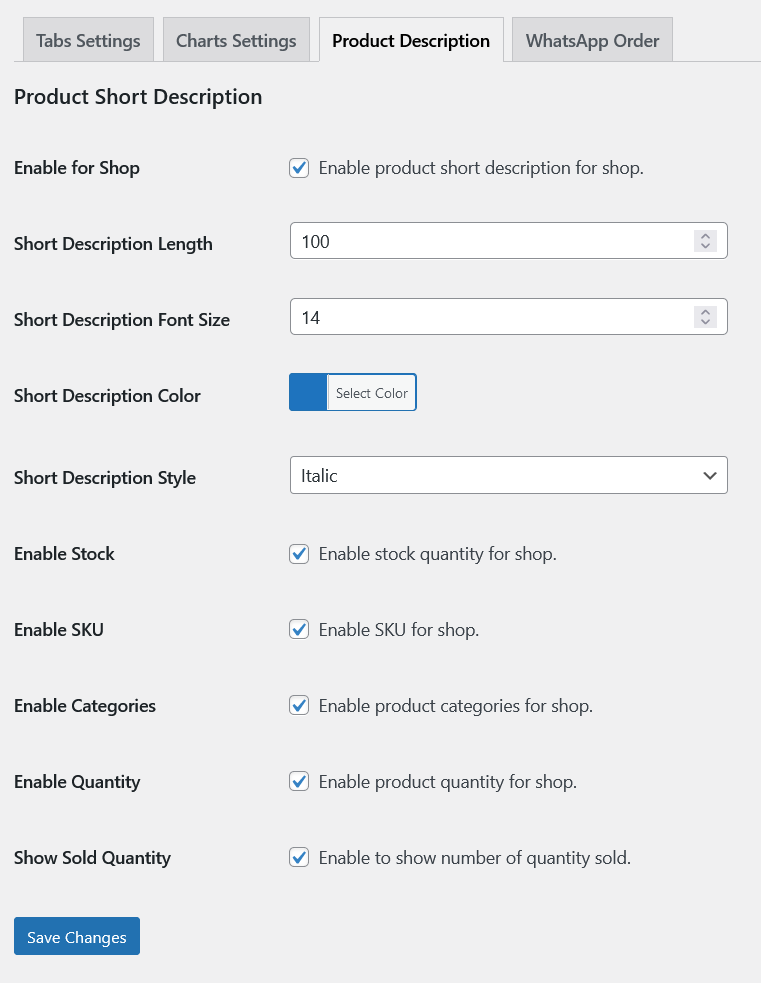
Enable for Shop: Enable product short description for shop.
Short Description Length: Restrict description on the shop page by the length.
Short Description Font Size: Set Short Description Font Size for the shop page.
Short Description Color: Choose color for the Short Description on the shop page.
Short Description Style: Choose font style for the Short Description.
Enable Stock: Enable stock quantity for shop.
Enable SKU: Enable SKU for shop.
Enable Categories: Enable product categories for shop.
Enable Quantity: Enable product quantity for shop.
Show Sold Quantity: Enable to show number of quantity sold.
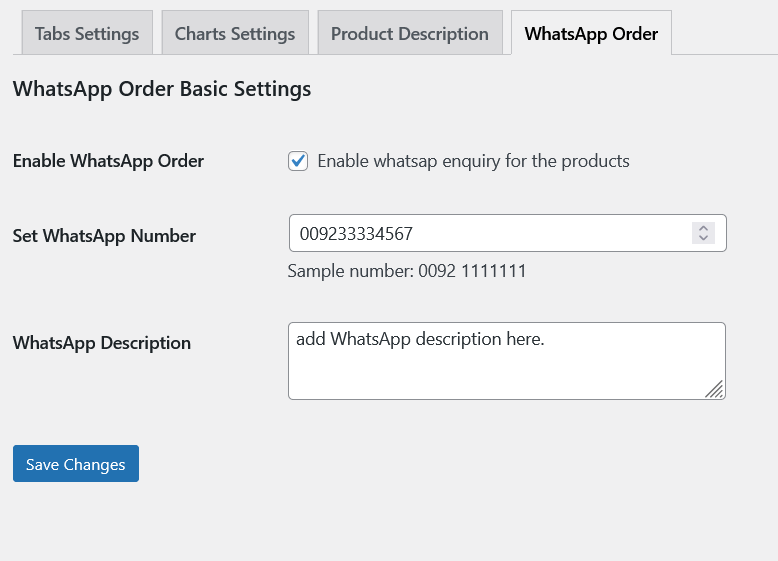
WhatsApp Settings
Enable WhatsApp Order: Enable whatsap inquiry for the products
Set WhatsApp Number: Sample number: 0092 1111111
WhatsApp Description: Add WhatsApp Description, it will be default message when customers click on the whatsapp button the product single page.
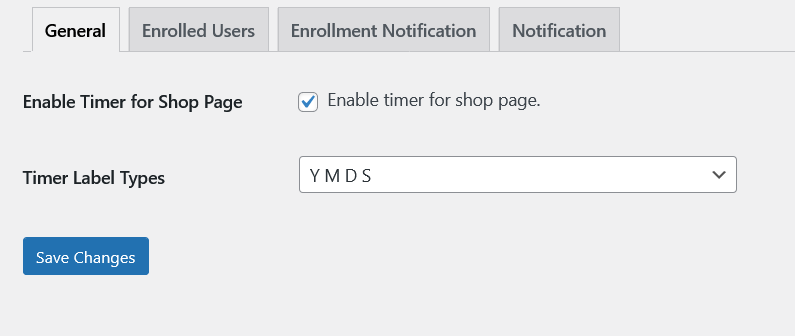
Scheduler General Settings
Build Up WooCommerce with the scheduling the product feature also. Product scheduler will make the products not purchasable when they are scheduled for the specific days and it will collect the emails form the customers for the notification when the product get available.
Enable Timer for Shop Page: Enable timer for shop page.
Timer Label Types: Choose labels for the Year, Month, Days etc.
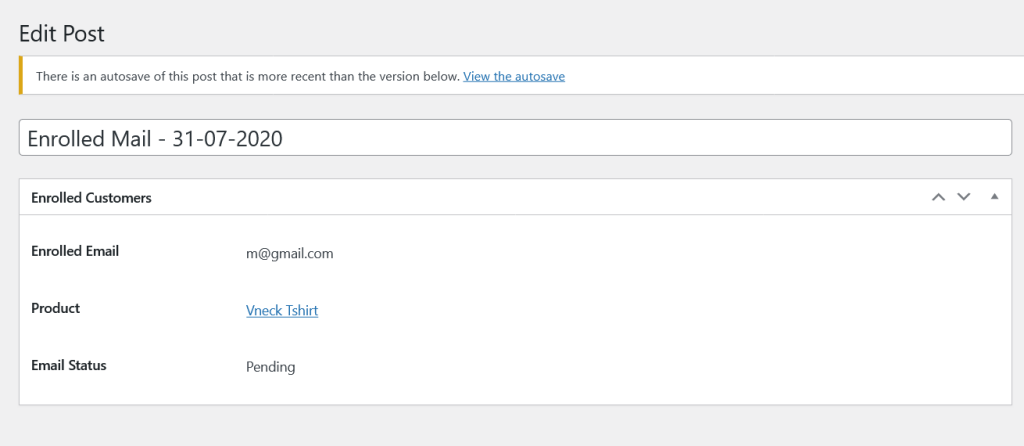
Enrolled Users
List of all customers how enrolled their email for the availability of the scheduled products.
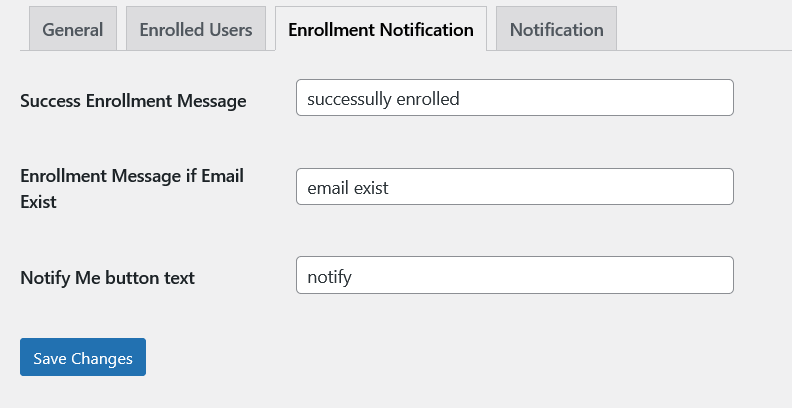
Enrollment Notification
Success Enrollment Message: Add message when the customers enroll their emails successfully.
Enrollment Message if Email Exist: Add message when the customers try to enroll their emails but they are already enrolled.
Notify Me button text: Edit notification button label.
Email Notification for the Scheduler
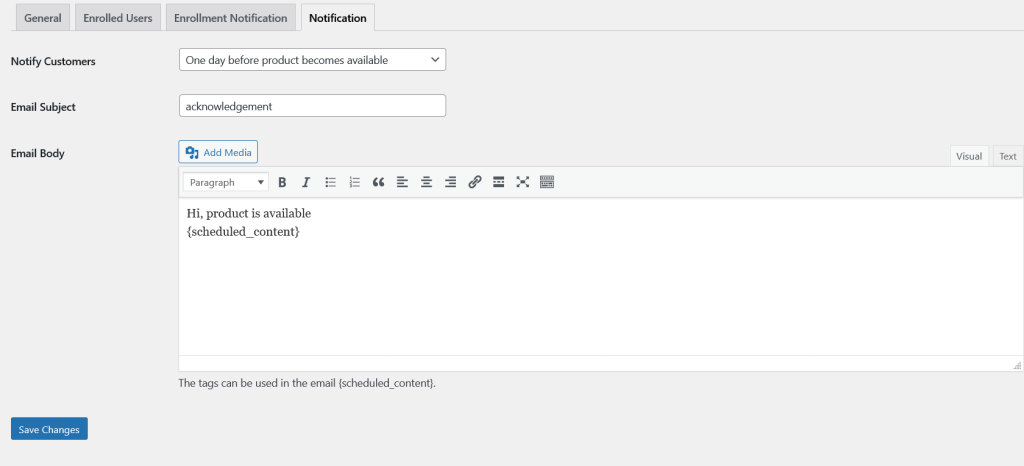
Notify Customers: Notify the customers in different ways.
1. As soon as product becomes available.
2. One day before product becomes available.
3. One week before product becomes available.
Email Subject: Add Email Subject for the schedule email.
Email Body: Design Email Body using HTML. The tags can be used in the email {scheduled_content}.
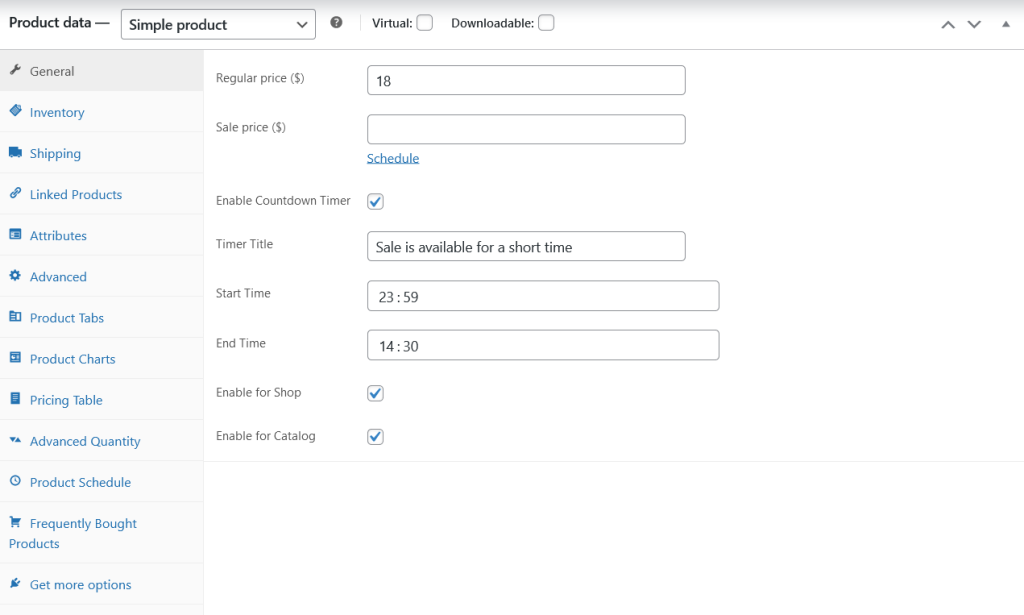
Product Level Settings
Using WooCommerce sale, our plugin allow to display the countdown timer for the sale with customized description and availability for the shop and catalog pages.
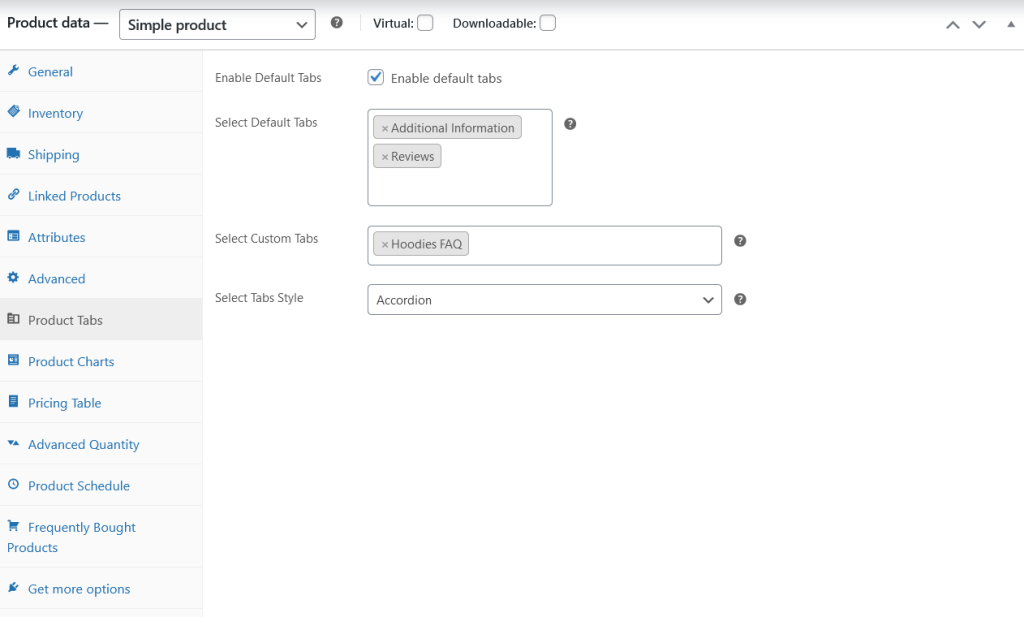
Assign Product Tabs
Enable Default Tabs: Check this option to enable the products default tabs.
Select Default Tabs: Choose default tabs. It will allow you to remove the default tab if not necessary.
Select Custom Tabs: Choose custom tabs created at the custom post level.
Select Tabs Style: Choose product tabs style. It may be either Accordion, Tabs or Sidebar.
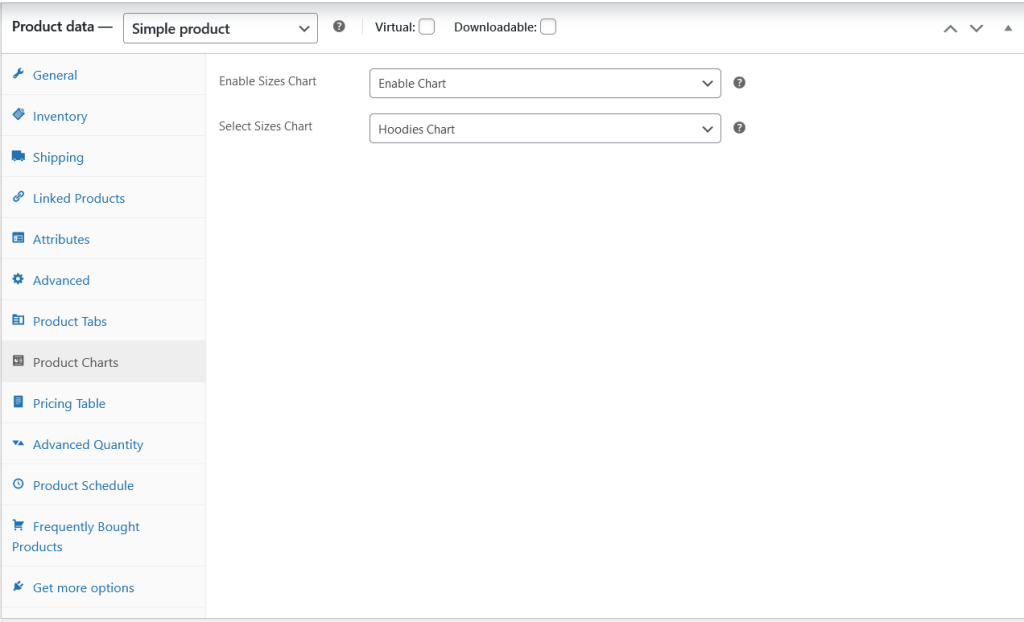
Assign Size Chart
Enable Size Chart: Enable this option to enable size chart for the product.
Select Size Chart: Choose size chart added at the custom post type to the product.
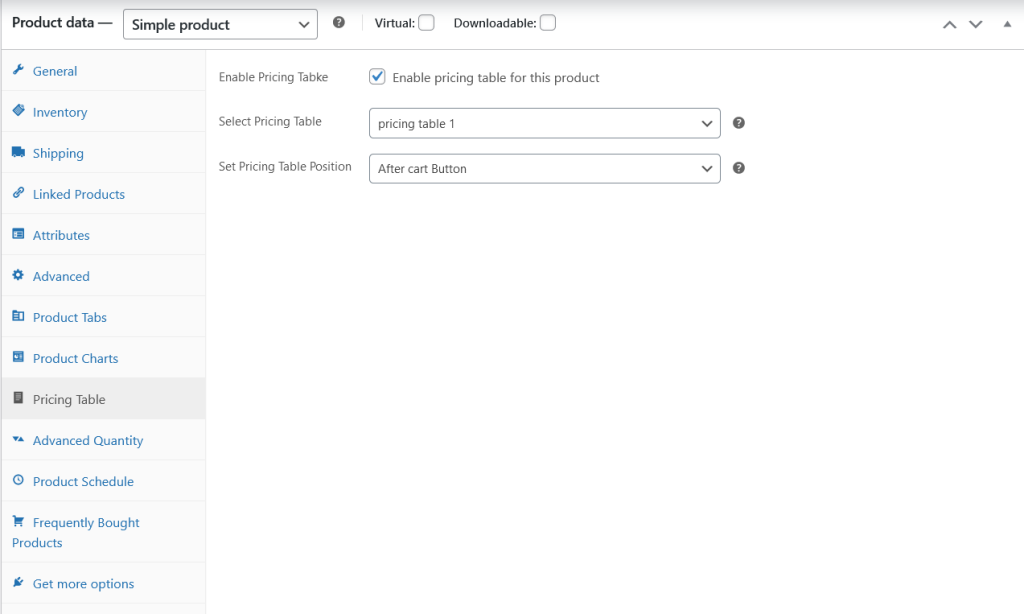
Assign Pricing Table
Enable Pricing Table: Enable pricing table for this product.
Select Pricing Table: Choose pricing table added at the custom post level.
Set Pricing Table Position: Choose position for the packages.
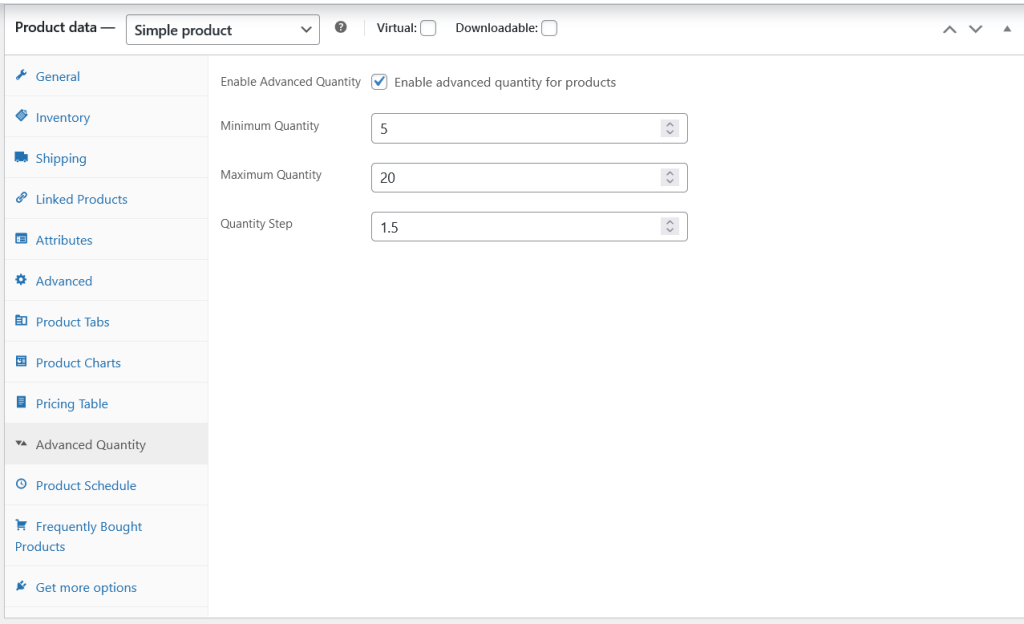
Advanced Quantities
Build Up allow to restrict the products with the minimum and maximum quantities as well.
Enable Advanced Quantity: Enable advanced quantity for products.
Minimum Quantity: Add Minimum Quantity.
Maximum Quantity: Add Maximum Quantity.
Quantity Step: Add Quantity Step.
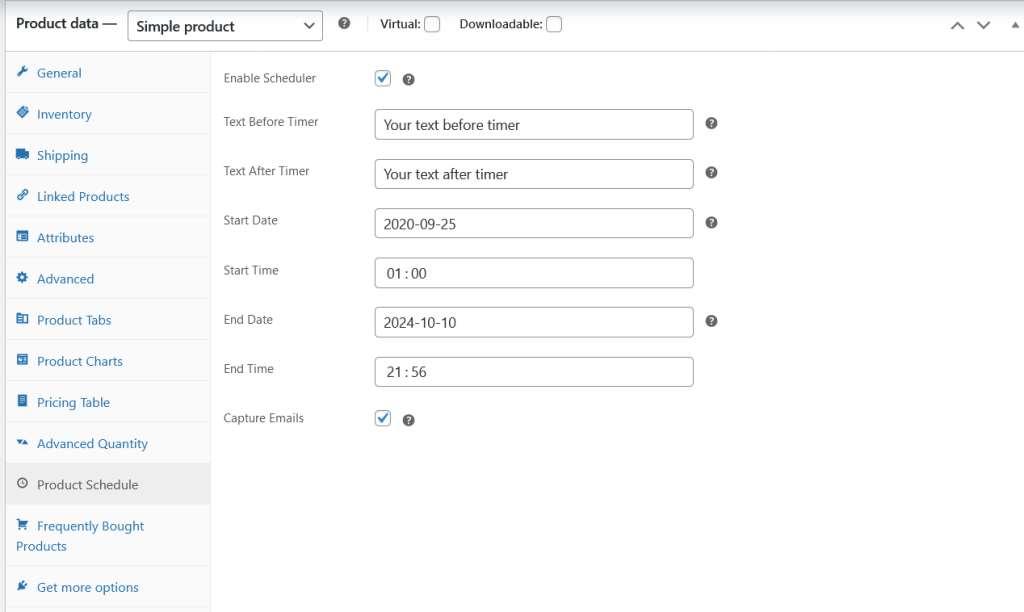
Product Scheduler Settings
Enable Scheduler: Check this option to enable product scheduling functionality for the product.
Text Before Timer: Add Text Before Timer when the product is scheduled.
Text After Timer: Add Text After Timer when the product is scheduled.
Start Date: Set Start Date for the scheduling.
Start Time: Set Start Time for the scheduling.
End Date: Set End Date for the scheduling the product.
End Time: Set up End Time for the scheduling of the product.
Capture Emails: Enable this option to collect the emails from the customers.
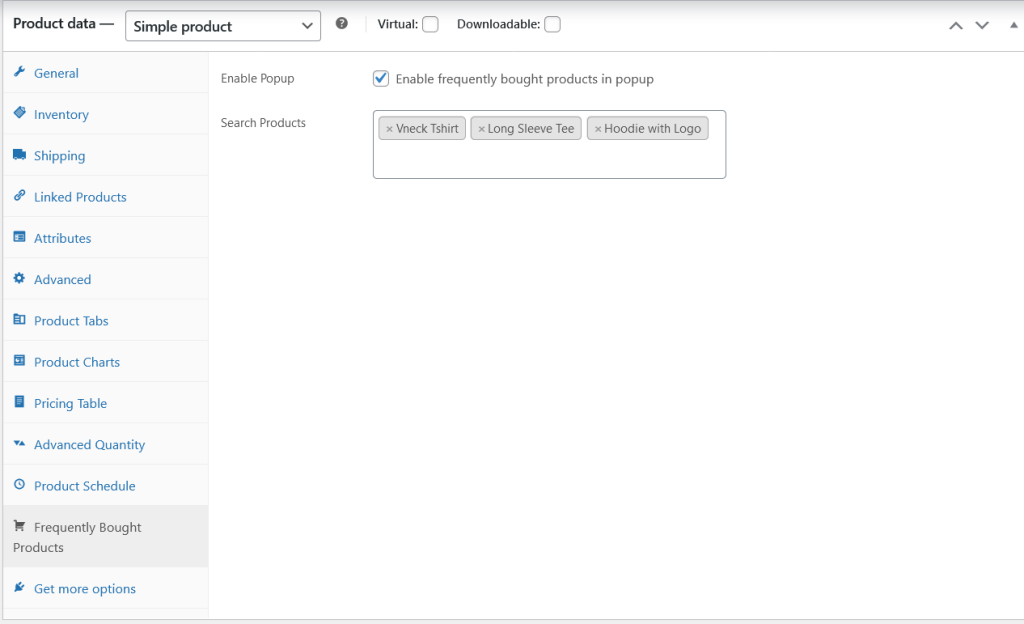
Frequently Bought Together Settings
Enable Popup: Enable frequently bought products in popup.
Search Products: Add products for the frequently bought together popup.
Scheduler Timer for the Single Product Page
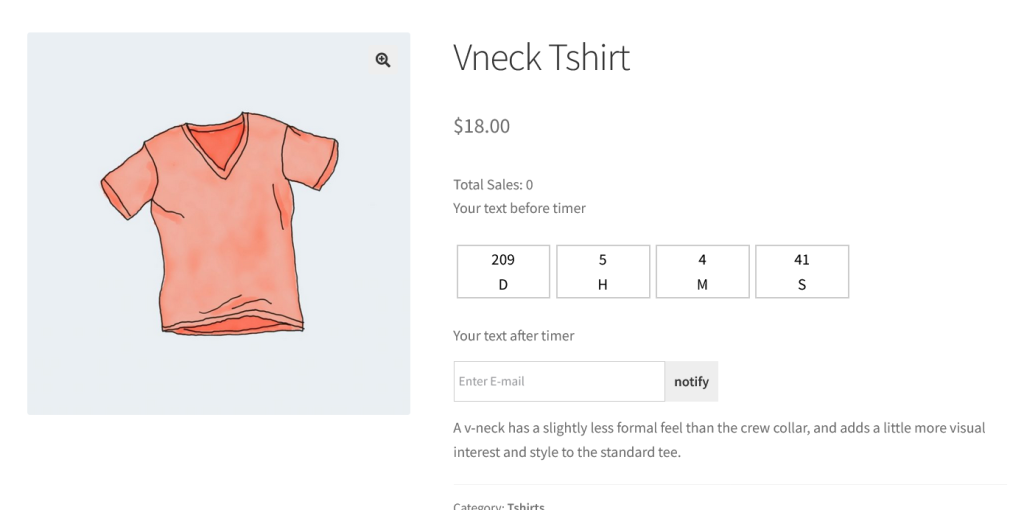
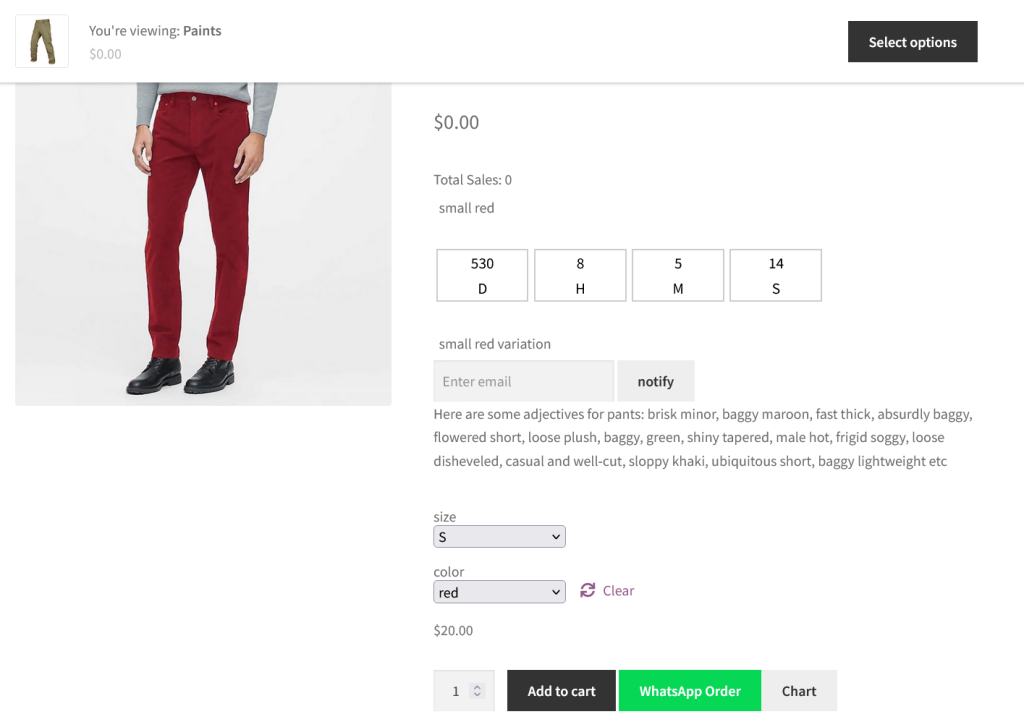
Scheduled Variable Product
Package for the Product
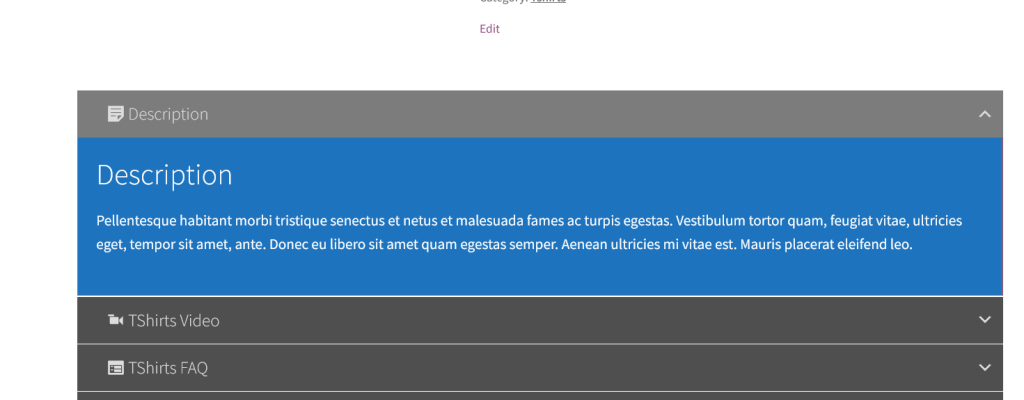
Customized Product Tabs
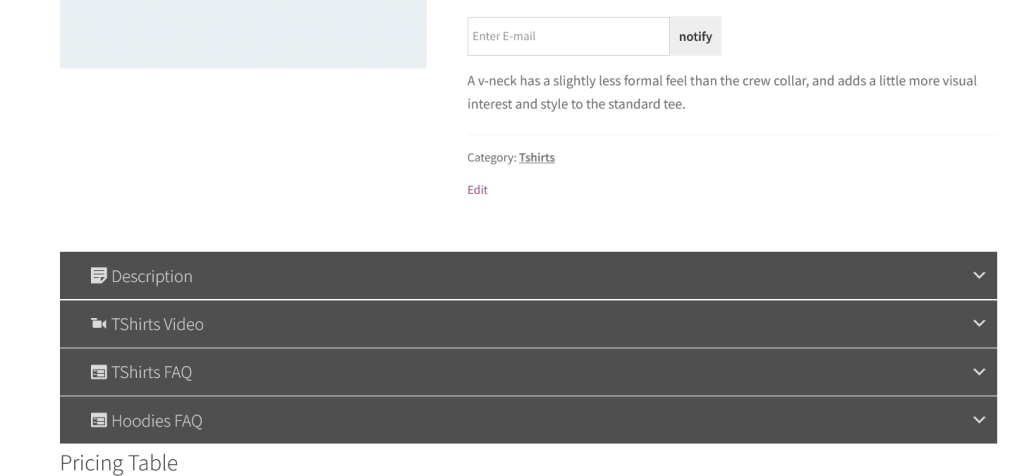
Single Product Tab in Accordion
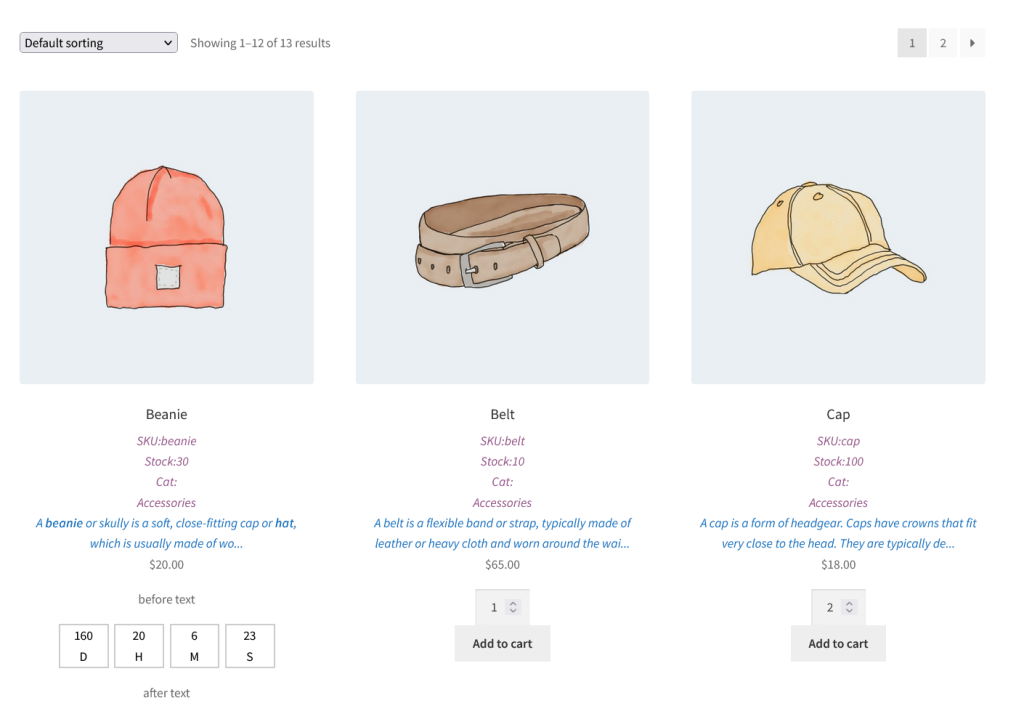
Customized Shop Page
Shop page conist of SKU, Stock, Categories, Short description and schedule timer also.
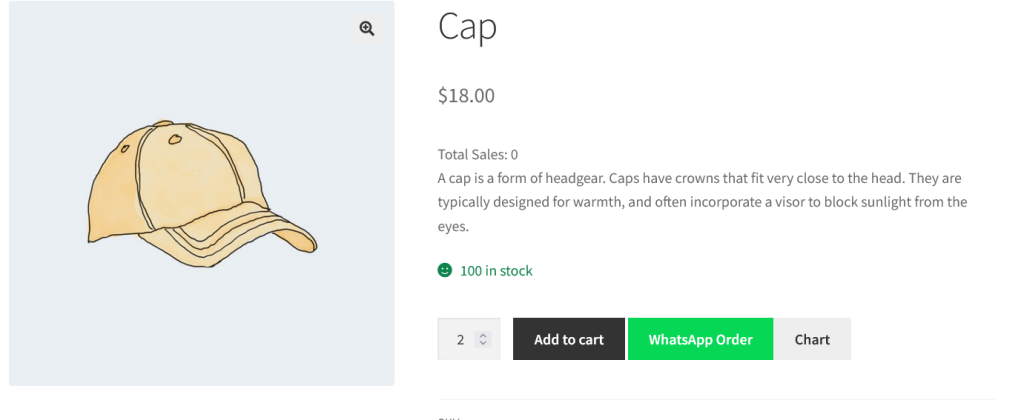
Product with WhatsApp and Size Chart Button
Size Chart Popup
Size chart is completely dynamic with the hover effect of row and column