Table of content
Composite Product Bundles Plugin allows users to add fields on the composite product page. They can add a selection of multiple products by their choice. Furthermore, helps for discount on the component field and supports for individual and combined pricing.
Key Features Of Composite Products
- It allows for multiple products and categories to each component field.
- However, admin can set combined or separate pricing.
- Supports both variations of variable products and simple products.
- Supports for discounts on any component field.
- Show products in radio buttons, drop-down, or in boxes.
General Settings
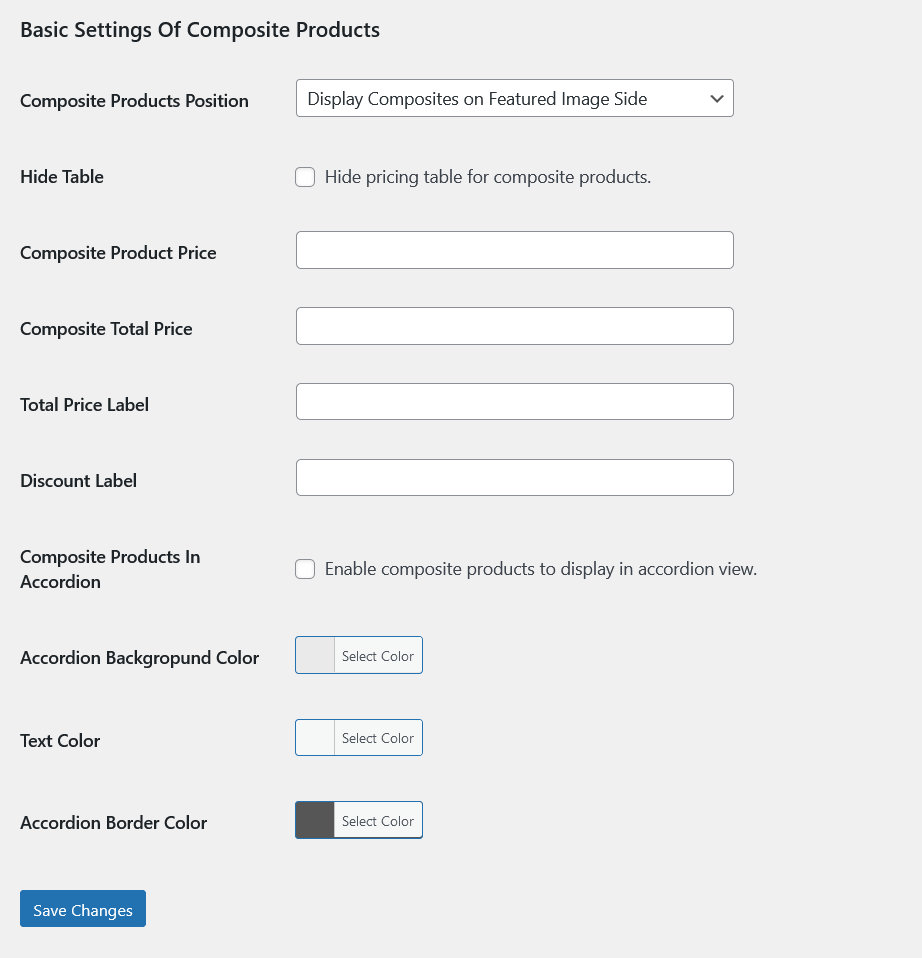
Composite Products Position: Set position of composite products.
Hide Table: Hide pricing table for composite products.
Composite Product Price: Add label for Composite Product Price.
Composite Total Price: Add label for Composite Total Price.
Total Price Label: Add label for Total Price.
Discount Label: Add label for Discount.
Composite Products In Accordion: Enable composite products to display in accordion view.
Accordion Backgropund Color: Choose accordion background.
Text Color: Choose text color for accordion.
Accordion Border Color: Choose color for accordion border.
Product Level Settings
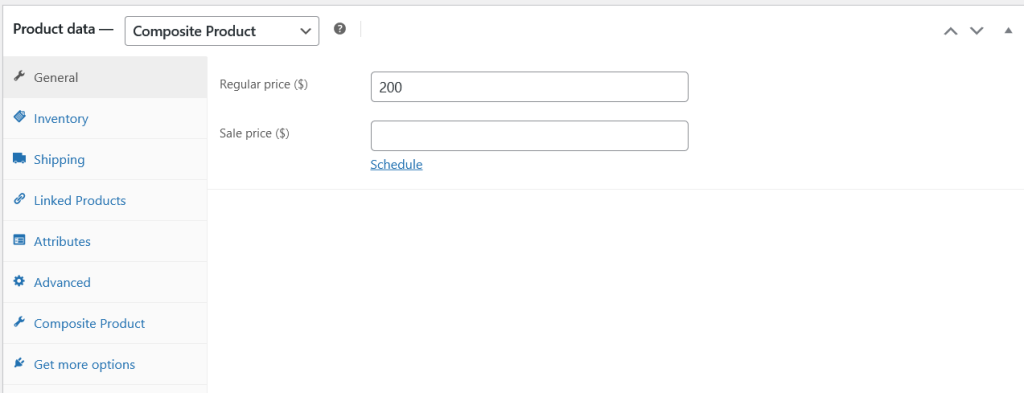
All composite products must have a product price and choose product type “Composite Product”.
Composite Settings
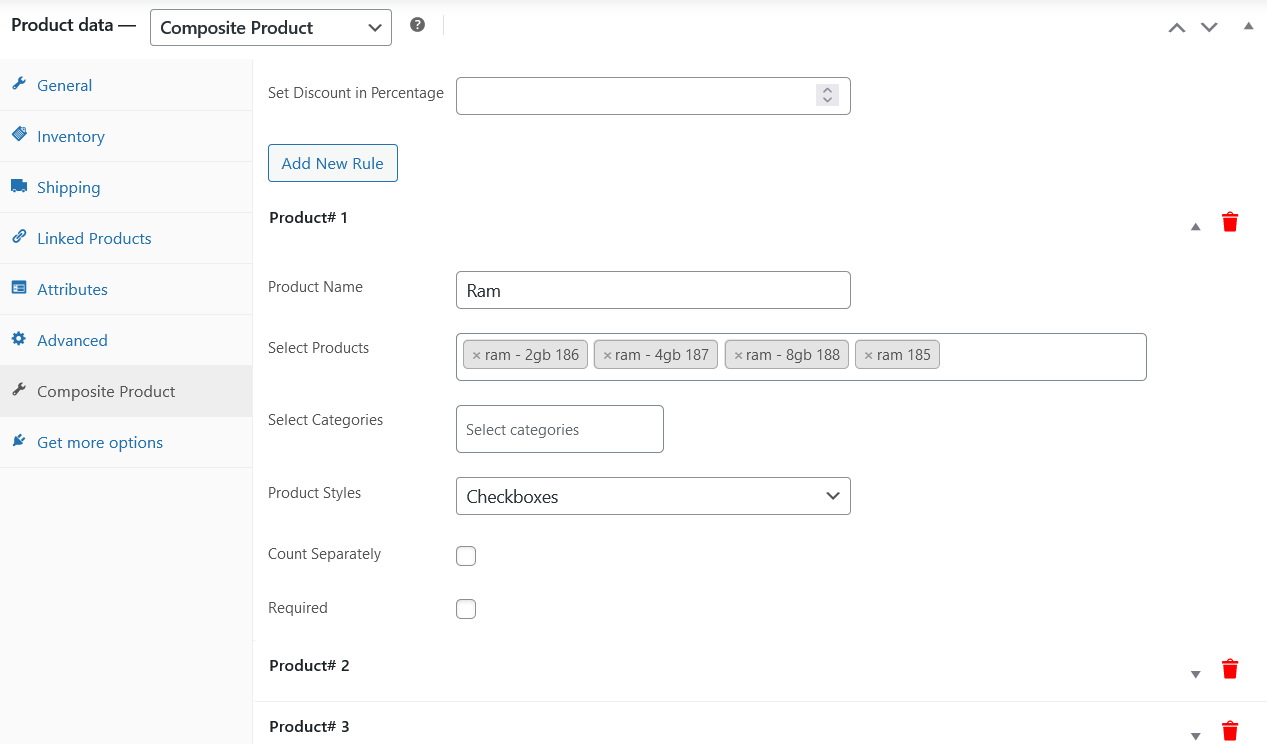
Set Discount in Percentage: Add discount value if needed.
Click Add New Rule for adding multiple composite products.
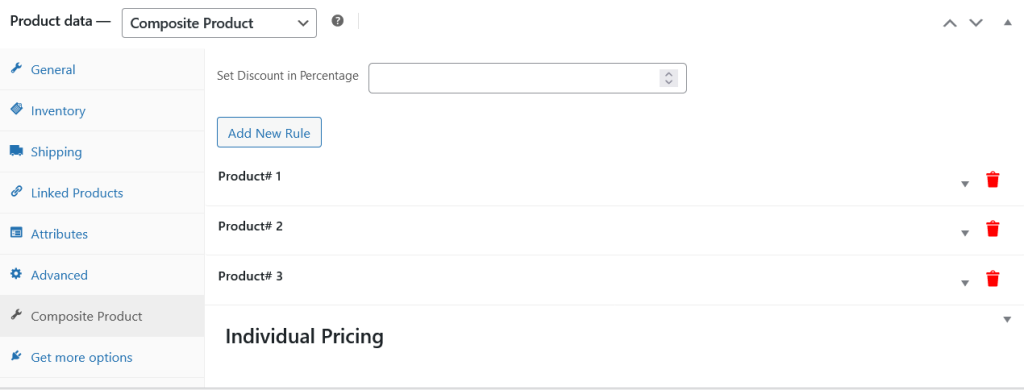
Product Name: Add name to the composite.
Select Products: Add products for the composite.
Select Categories: By choosing categories, composite will display its products.
Product Styles: There are four styles to display composite products, they are Dropdown, Product Thumbnail, Radio and Checkboxes. Checkboxes are used for multiple selection on frontend.
Count Separately: Enable this option to count this composite price separately on the cart page.
Required: Enable this option to make this composite product required.
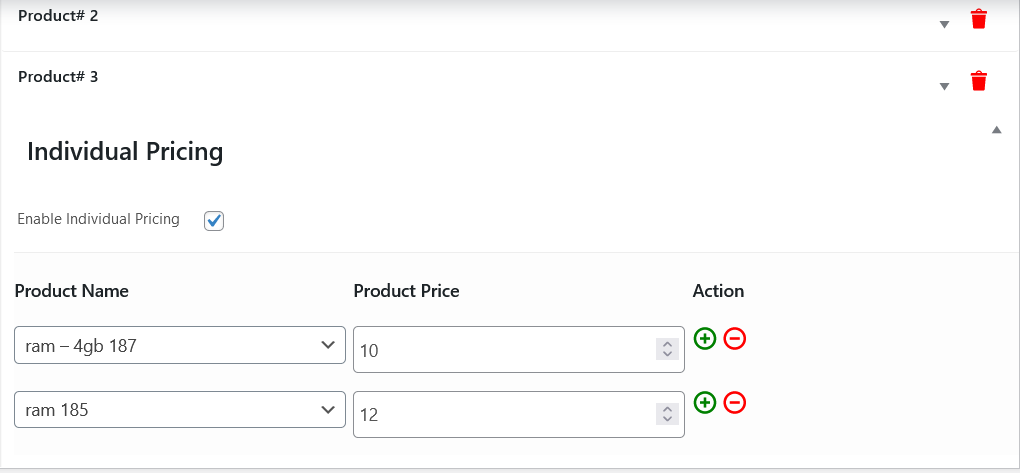
Individual Pricing
Individual pricing are used to modify the product regular price specifically for these composite products. For example the product Ram has 10$ regular price but we can manage its price for that composite product specifically.
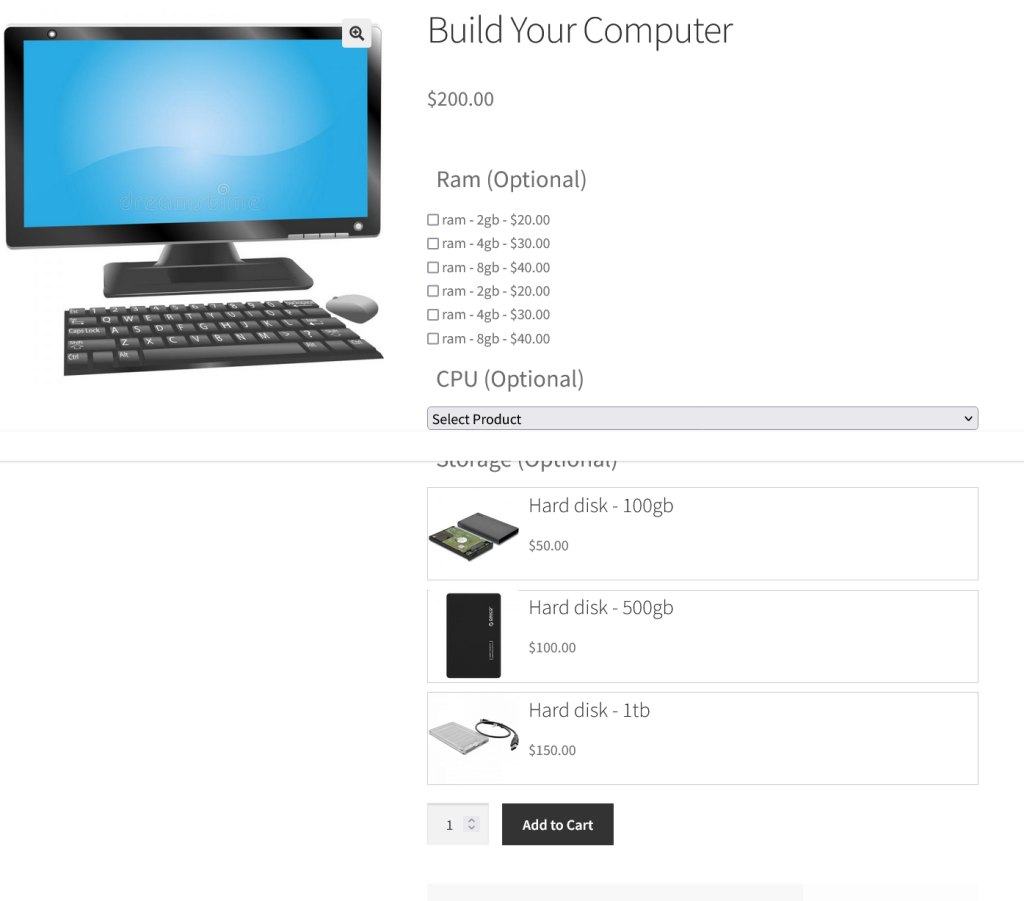
Frontend View of the Composite Products
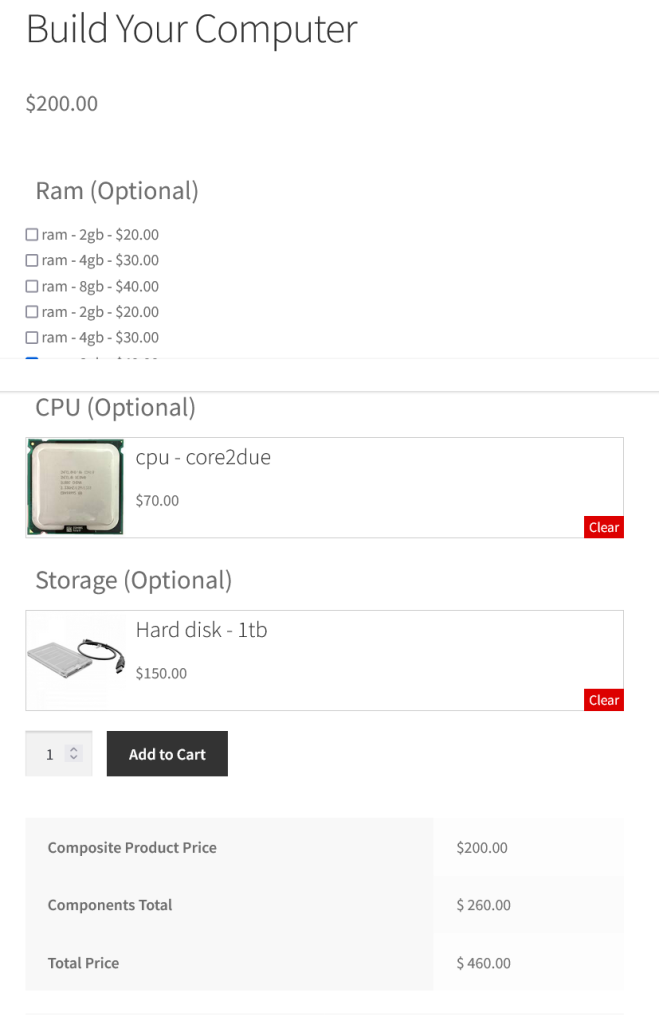
Composite Products Selected
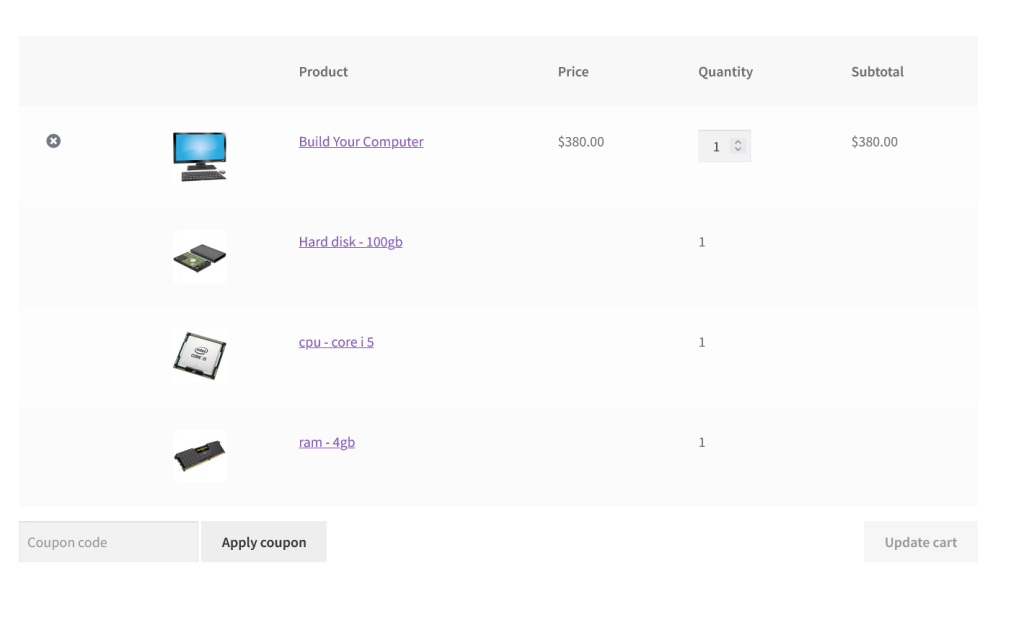
Composite Products in Cart