
In this article, we’ll learn how to create WooCommerce Tiered Pricing rules. Here, we assume you have already set up o your WordPress website and WooCommerce.
Tiered Pricing plugin allows you to provide a discount to the customers by quantity. You can see the quantity on the product page showing the discount table. However, you can choose an option for pricing in percentage or fixed. At the front end page, customers can view the table by adding a specific quantity. Then they can add the product to the cart.
There are three rule set options to apply, such as product, categories, and global settings. Furthermore, at three places you can show a discount table on the product page, such as adding to cart, adding to cart button, and product tabs as a separate tab.
Key Features Of WooCommerce Tiered Pricing
- Discount for the products by quantity.
- Show discounts table based on the quantity.
- Prices changes as the quantity of the product changes.
- Supports simple as well as the variable products.
- Allows to set rule set option as unique, category, or global.
- Allows to select a display pricing table place on front end.
- Allows to customise pricing table appearance.
- Select tiered pricing type as percentage or fixed.
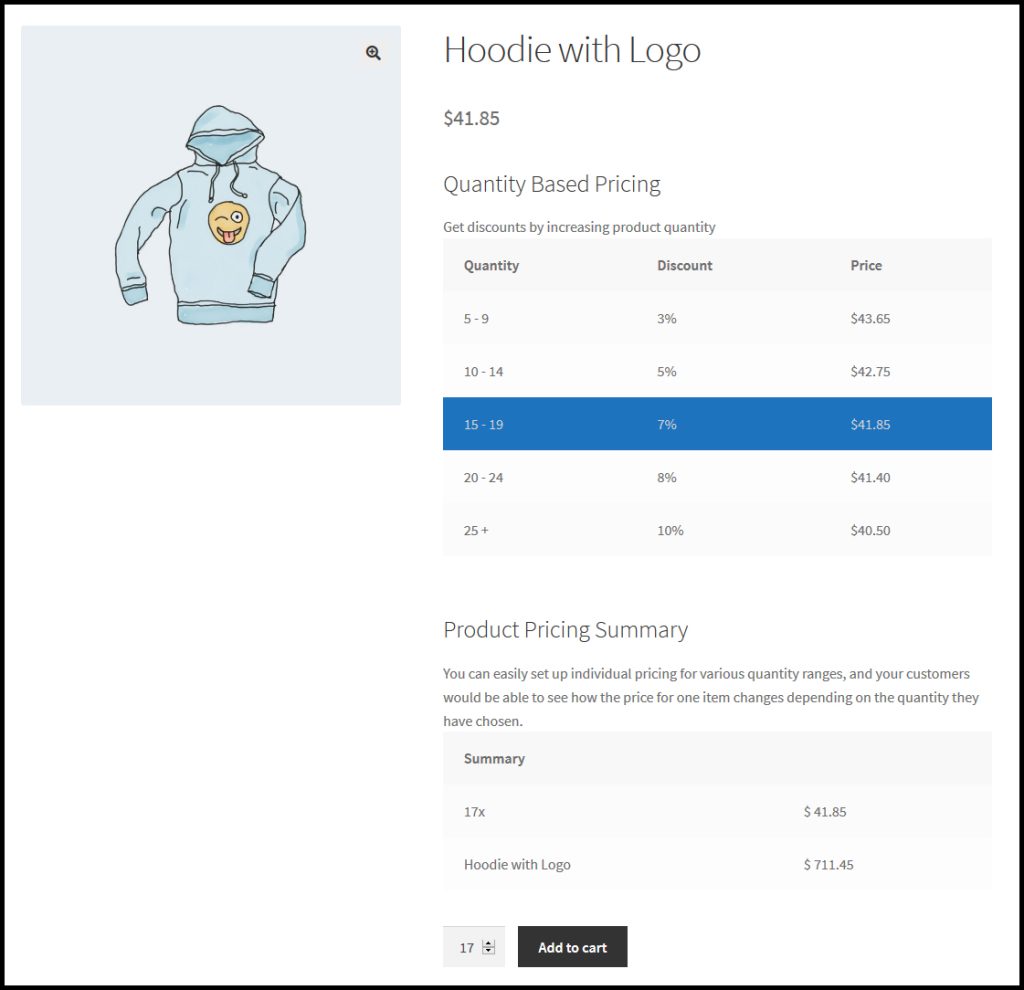
Before Add To Cart Button
You can show a Price By Quantity discount pricing table on the product page, such as adding before add to cart button.
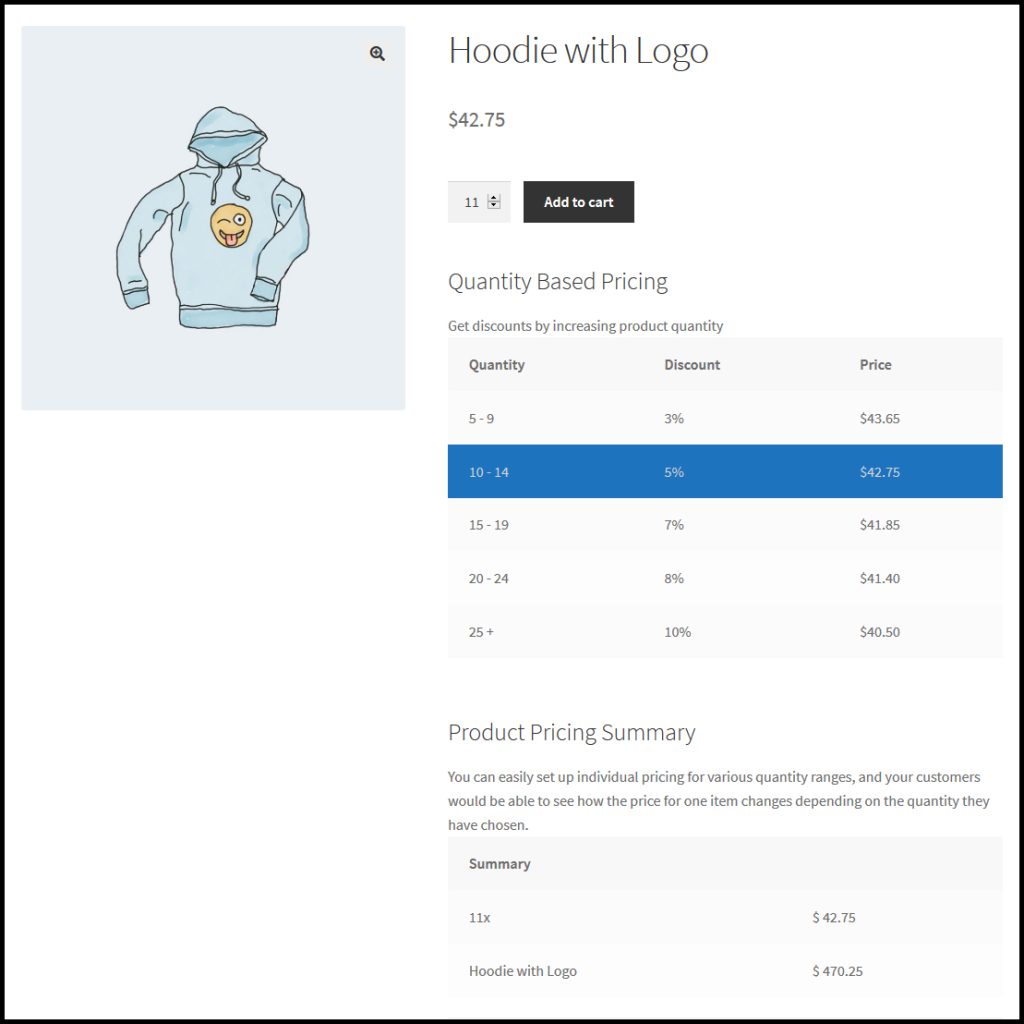
After Add To Cart Button
You can show a discount pricing table on the product page, such as adding after add to cart button.
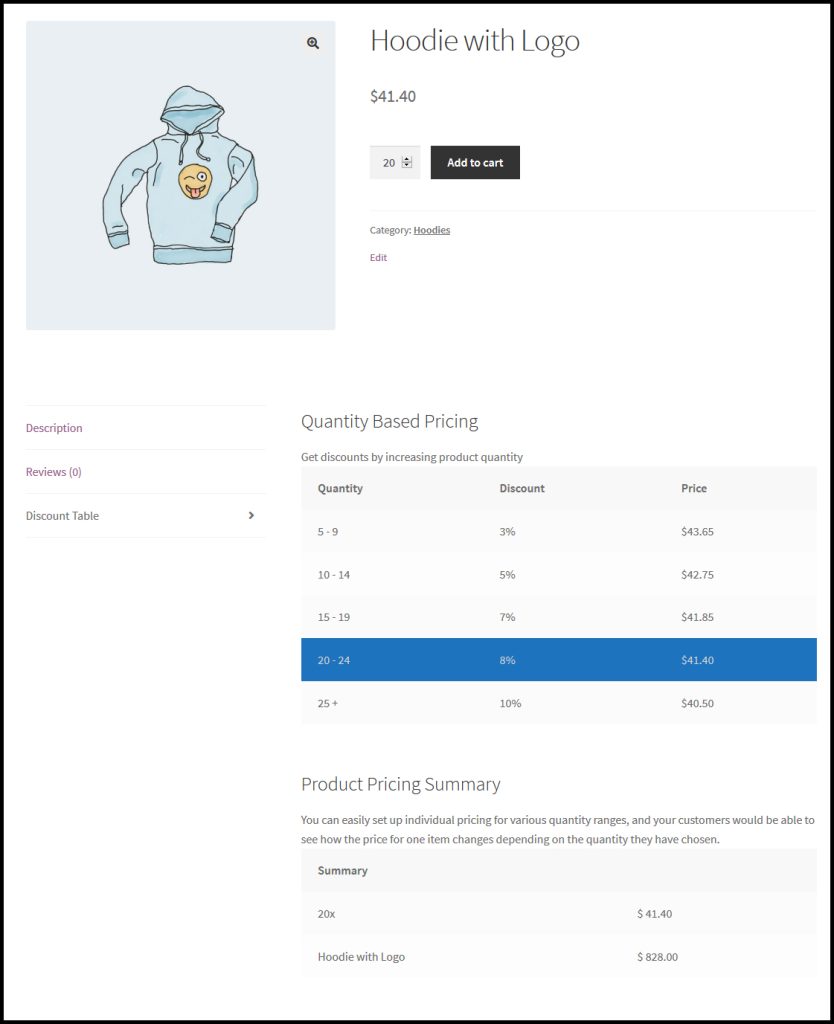
WooCommerce Tiered Pricing In Product Tabs
You can show a discount pricing table on the product page, such as in product tabs.
Where To Get WooCommerce Tiered Pricing
WooCommerce Tiered Pricing empowers the customers to provide a discount on product quantity. Although, you can apply a unique, category, or global ruleset. Furthermore, you can select a tiered pricing type as fixed or percentage.
If you want to download this product, you can get this from Buy Product WooCommerce Tiered Pricing.
Get Benefits:
⦁ In-depth marketing data.
⦁ In-depth product documentation.
⦁ Expert technical support.